Track. Improve. Succeed.
Manage everything in one place.
DeskTimeTracker helps you track employees, record attendance automatically, and see real-time updates to boost team productivity.
Let Desk Time Tracker handle it for you
Optimize Work Performance
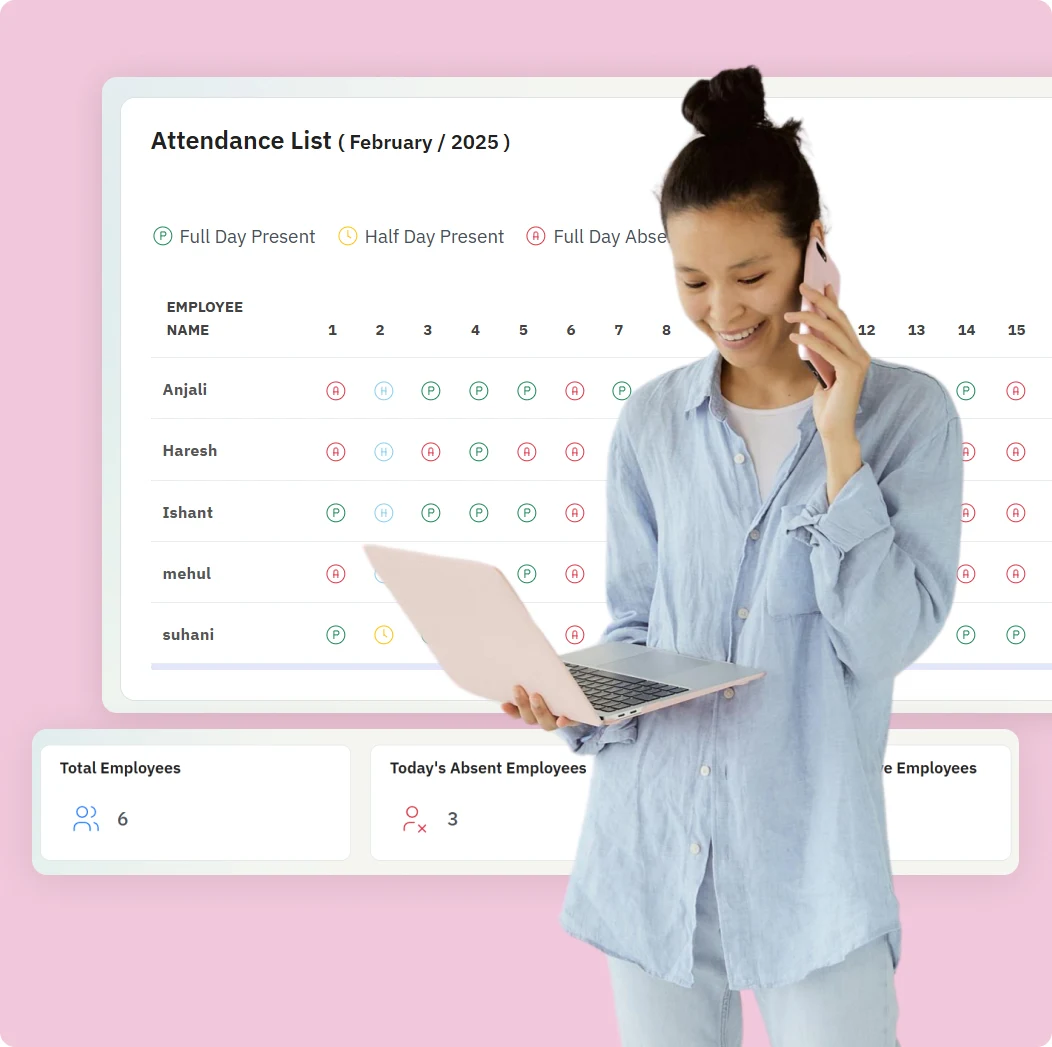
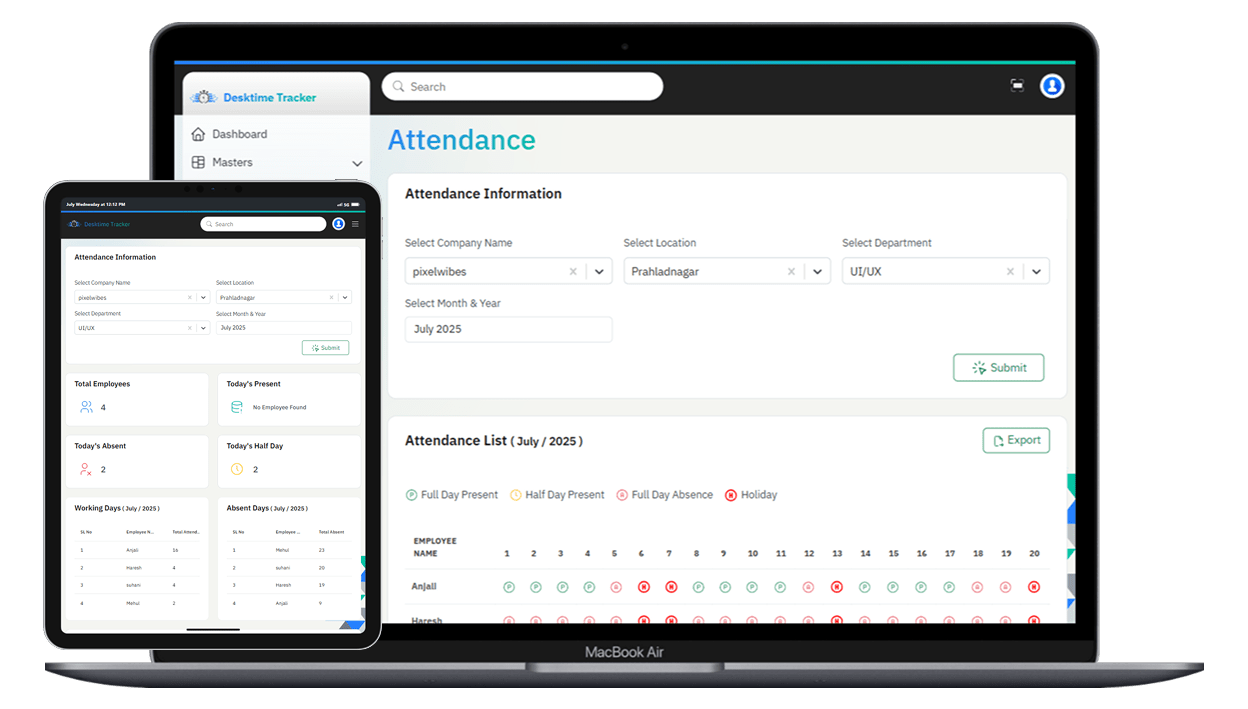
Auto Attendance
Quick and Accurate Attendance Tracking
DeskTimeTracker is an easy-to-use employee attendance software that helps you track and manage work hours accurately. It simplifies attendance management and boosts workplace efficiency.
- Employee Attendance
- Absence Tracker
- Half Day Tracker
- Holidays & Leaves
-
Automated Attendance Tracking:
DeskTimeTracker automatically records when employees work based on their shifts and activity. This helps keep accurate attendance without any manual check-ins.
-
User-Friendly Attendance Tracking:
The system tracks attendance by itself, so employees don’t need to check in or out, which reduces mistakes.
-
Real-Time Monitoring:
Company Heads can see live attendance data anytime, making it easier to manage the team.
Session-Wise Tracking
Auto Time Tracking
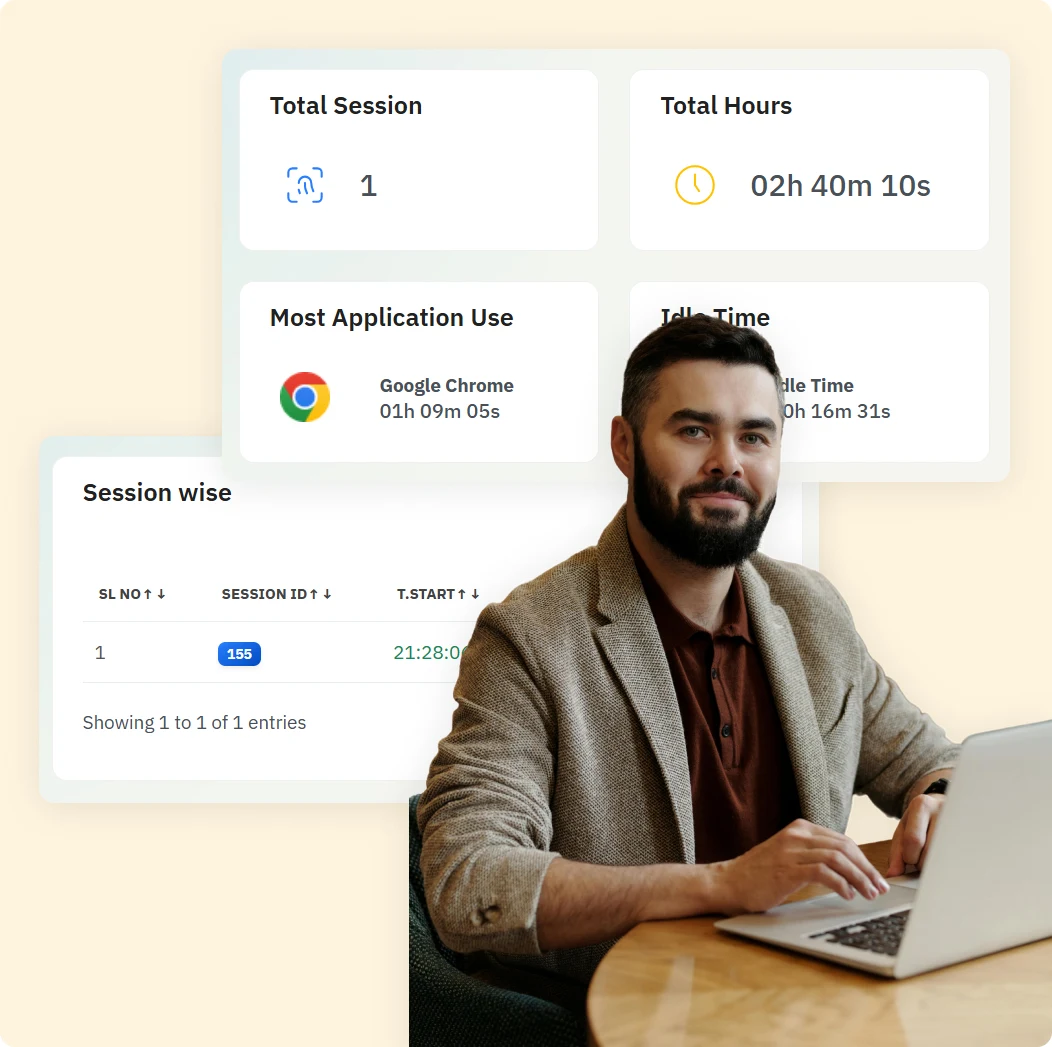
DeskTimeTracker automatically tracks how employees spend their work time. It gives detailed information about work patterns to help manage time better and improve productivity.
- Idle Time Monitoring
- Session-Wise Tracking
- Time Calculation
- Total Sessions
-
Session-Wise Tracking:
Automatically records each work session with exact start and end times.
This helps identify when employees are most active and focused.
-
Total Sessions & Duration:
Counts the total work sessions during the day.
Shows the total active work hours for the day.
-
Idle Time Monitoring:
Detects and logs periods when the system is not active.
Helps managers understand distractions and improve team efficiency.
-
Total Work Time Calculation:
Calculates the total time spent on work activities.
Differentiates between active work and idle time.
Employee Monitoring
Daily Screenshot & Time Log Reports
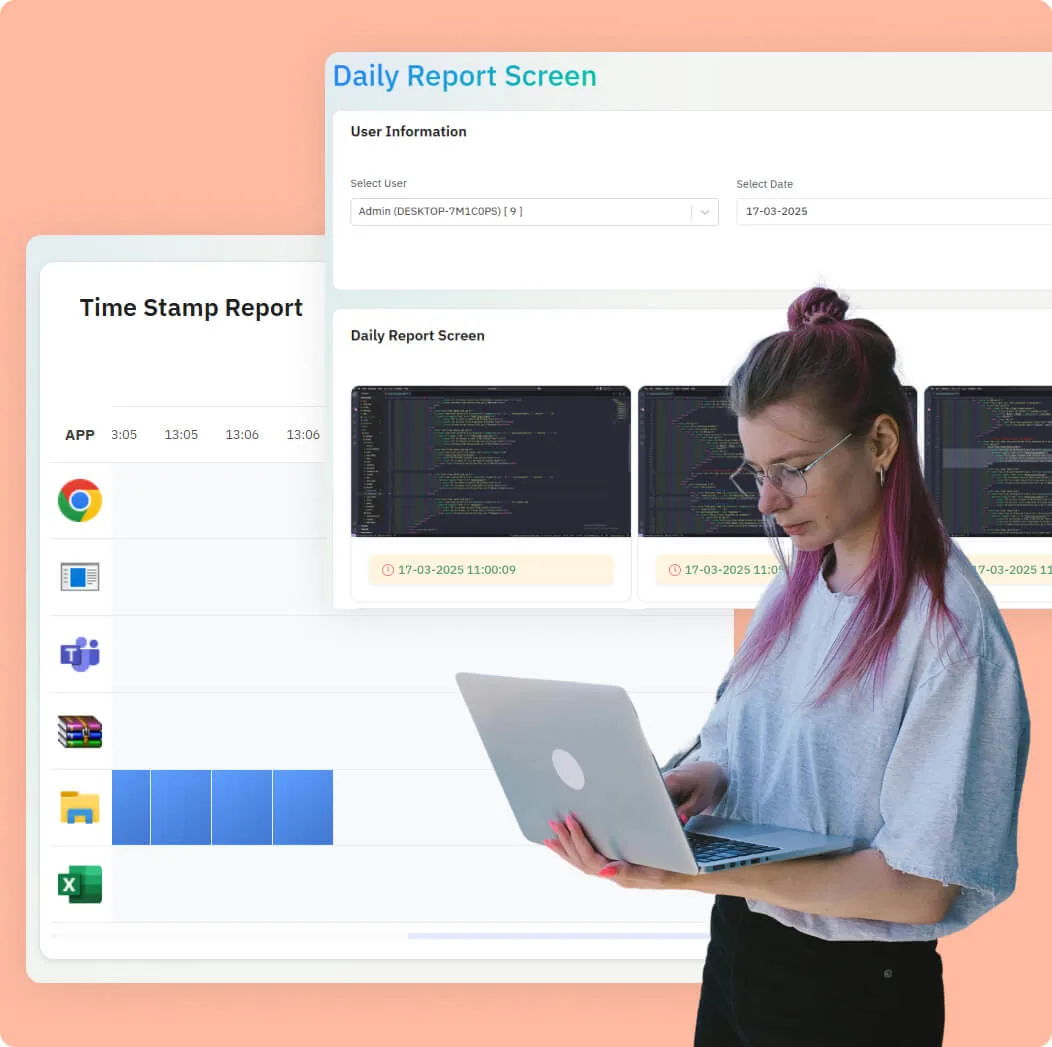
DeskTimeTracker monitors employees visually with automatic screenshots and time-stamped logs, giving you a clear timeline of activity and app usage throughout the day.
- Screenshots
- Timestamp
- Idle Time
- Workflow
-
Screenshot Monitoring:
Automatically takes desktop screenshots at set intervals.
Lets you see what each user was working on during the day.
-
Time Tracking with Timestamps
Shows exactly what time users were active.
Helps admins check what was happening at any specific time.
-
Idle Time Detection
Detects when the user is not using the system.
Helps identify breaks or inactivity during working hours.
-
Daily Workflow Overview:
Combines screenshots and timestamps into a clear timeline.
Makes it easy to review an employee’s workday at a glance.
Graphs for Time Analysis
Easy Work Hours & Productivity Overview
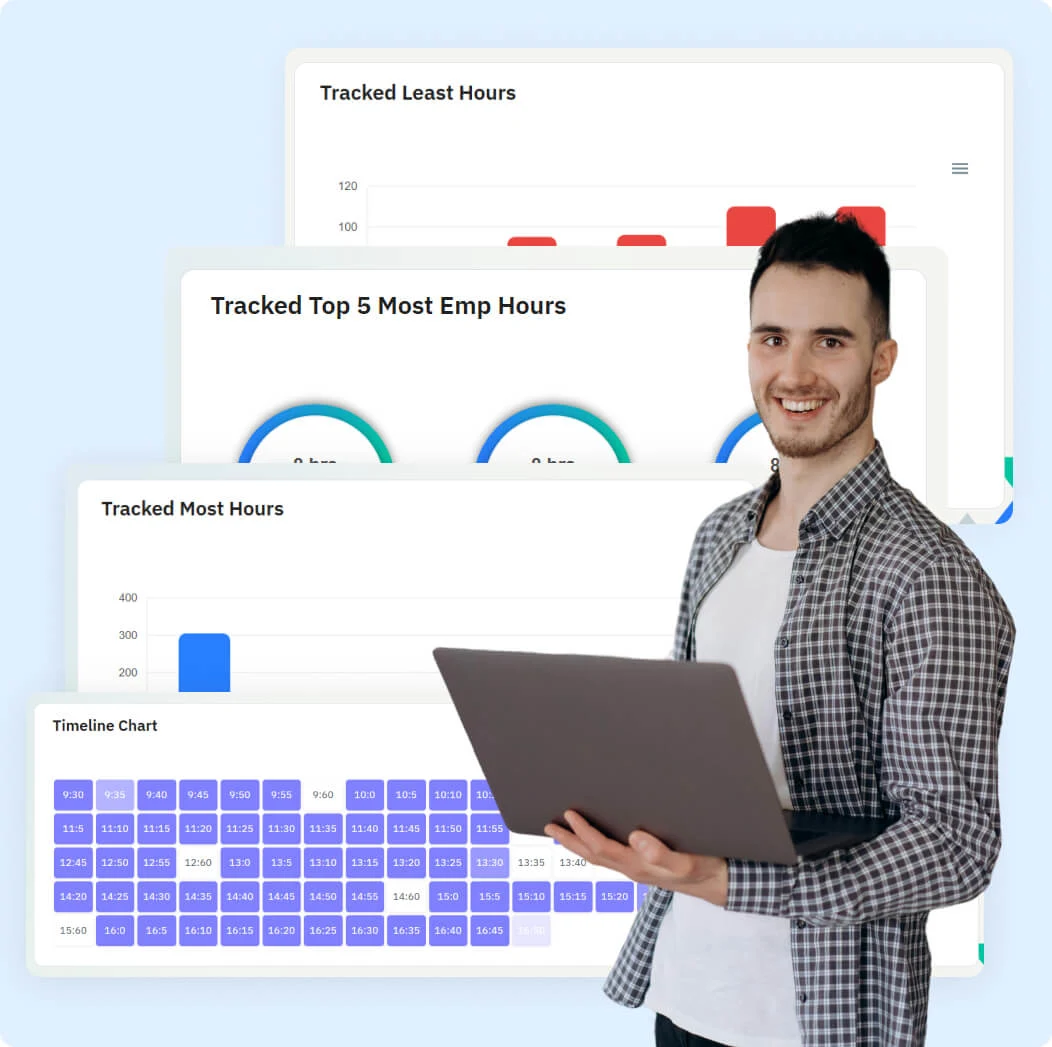
Track work hours with smart analytics showing least and most productive periods by day, week, and month, plus 5-minute timelines with color-coded activity blocks. Easy check-in/check-out system manages shifts, breaks, leaves, and overtime with comprehensive reporting and insights.
- Timeline Chart
- Work Hours
- Least Hours
- Daily Insights
-
Work Hour Insights
Shows when employees work the most and least each day, week, and month.
Helps managers plan better by knowing busy and quiet times.
-
5-Minute Activity Timeline
Displays work, breaks, and idle times in simple color blocks every 5 minutes.
Makes it easy to see how time is spent during the day.
-
Simple Attendance & Overtime
Easy check-in/out tracks shifts, breaks, leaves, and extra hours.
Provides clear reports for quick review of work and attendance.
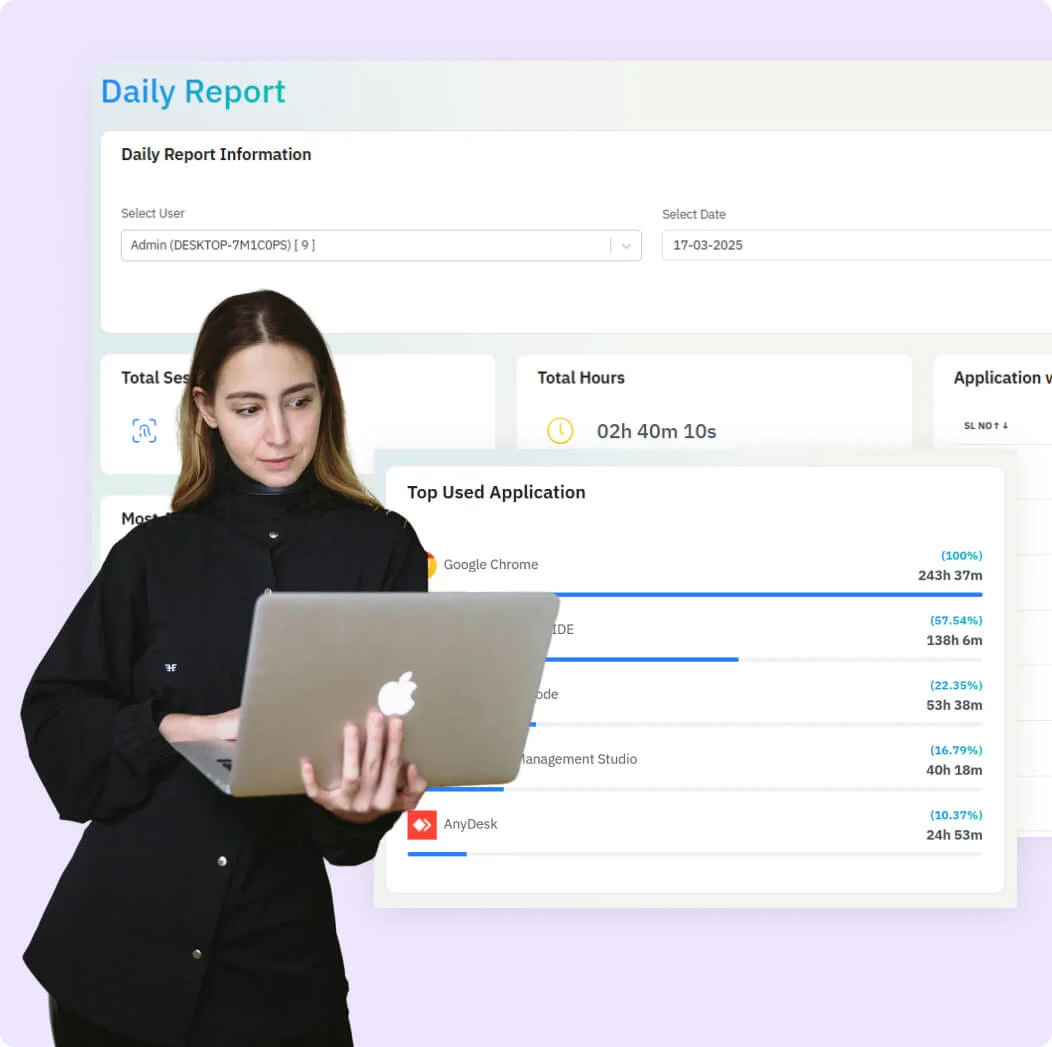
Powered Daily Report
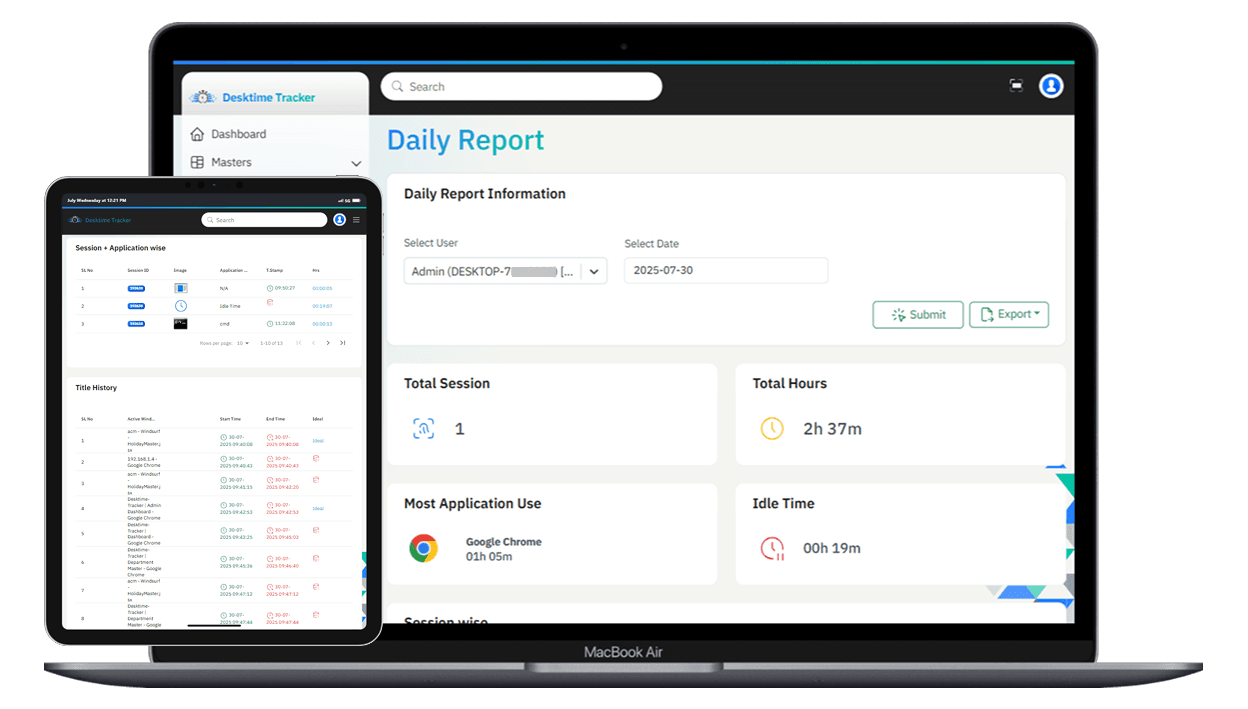
Easy-to-Read Daily Work & Browsing Summary
DeskTimeTracker is a time management tool that tracks active/idle time, top-used apps, and browser history with detailed reports. It helps businesses boost productivity while maintaining employee privacy and flexibility.
- Productivity
- Web & App Usage
- Activity Tracking
- Idle Time
-
Daily Session & Time Summary
See a summary of your workday with total hours logged, active, and idle time.
Quickly review session counts and total working minutes for the day.
-
Most Used Application Breakdown
Highlights your most-used app for the day along with total time spent on it.
-
App-Wise & Browser Activity Detail
Track time spent on each app and view browser history with precise start and end times.
-
Complete Idle Time Tracking
Detects and totals idle periods, showing them alongside active work for better productivity insights.
Work Shifts, Manage Breaks Smartly
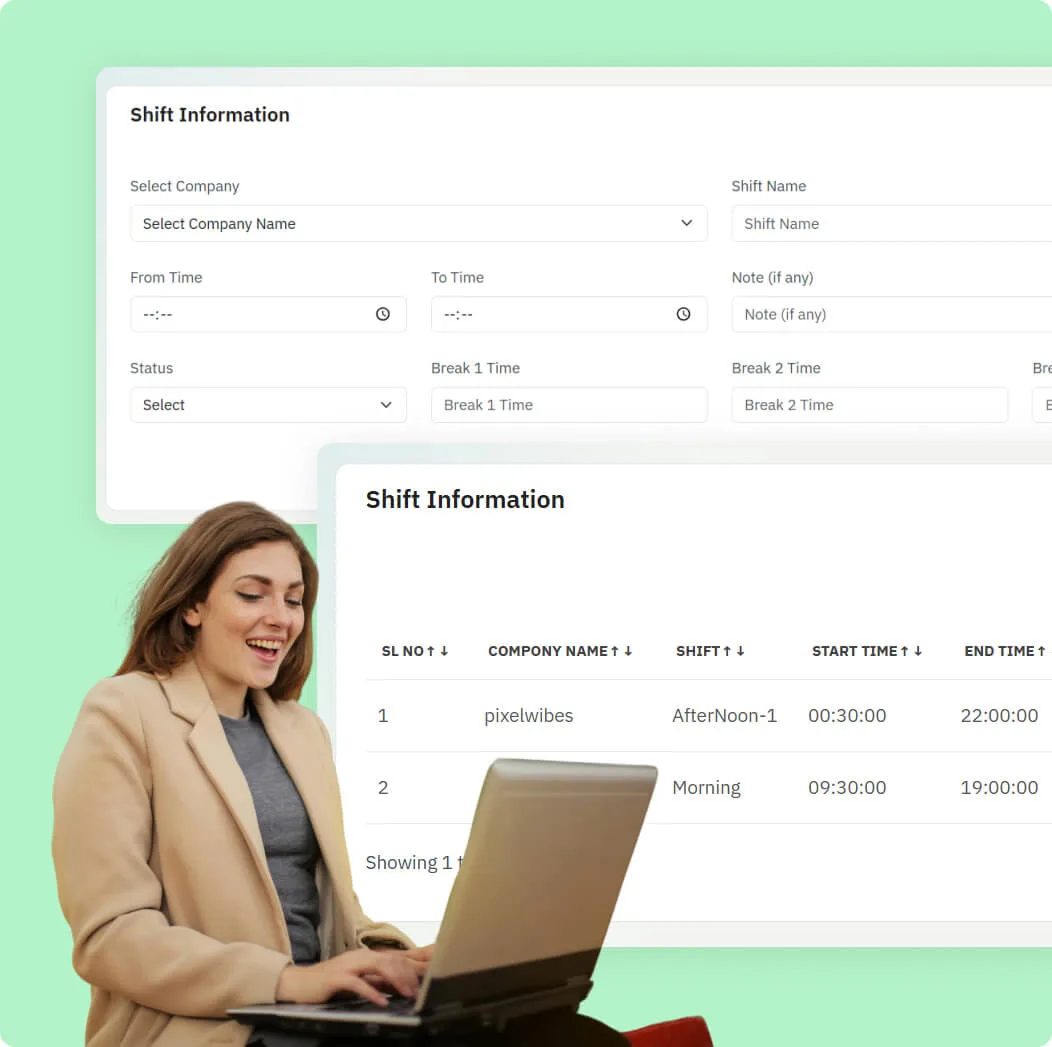
Shift Management for Enhanced Productivity
DeskTimeTracker provides an easy shift scheduling system that helps businesses assign shifts efficiently, manage employee availability, and monitor schedule compliance. This solution streamlines workforce planning, reduces manual tasks, and boosts overall team productivity.
- Shift Options
- Shift Creation
- Break Tracking
- Work Adaptability
-
Flexible Shift Scheduling
Easily create fixed or on-demand shifts to fit your business needs.
Set different break lengths depending on the shift type for better time management.
-
Variety of Shift Types
Choose from morning, evening, night, or custom shifts to suit your team's work style.
Use color-coded timelines to see work, breaks, idle time, and app usage clearly.
-
Automatic Break Monitoring
Track when employees start and end their breaks automatically.
Detect long or unauthorized breaks to keep productivity on track.
Industry Solutions
Tailored Solutions for Every Industry
Discover how our time tracking solutions address specific challenges across different sectors, improving efficiency and productivity.
Trusted by 18,000+ users worldwide





Work Smarter, Improve Productivity by 31%
Unlock 31% More Productivity with Smart Tracking
Work Efficiency Overview
-
Productivity Increase 31%
1,420 hrs
-
Idle Time Reduction 12.4%
350 hrs
-
Overtime Logged
7.8%
540 hrs
-
Break Time Efficiency 9.5%
Improved
-
Unproductive Time 8.2%
Reduced
-
Work Engagement Growth 15.3%
Higher Focus
-
User
0K+
-
Hours Tracked
0M+
-
Customers
0+
-
Productivity
0%
Stay on Track Avoid Productivity Pitfalls!
Your efficiency is at risk when you face
-
Attendance Gaps
-
Underused Resources
-
Too Much Idle Time
-
Missing Performance Data
-
Excess Manual Work
-
Revenue Losses
-
Uneven Workload
-
Timesheet Troubles
-
Distracting Apps & Websites
-
Poor Break Management
-
No Focus Mode
-
Limited Remote Monitoring

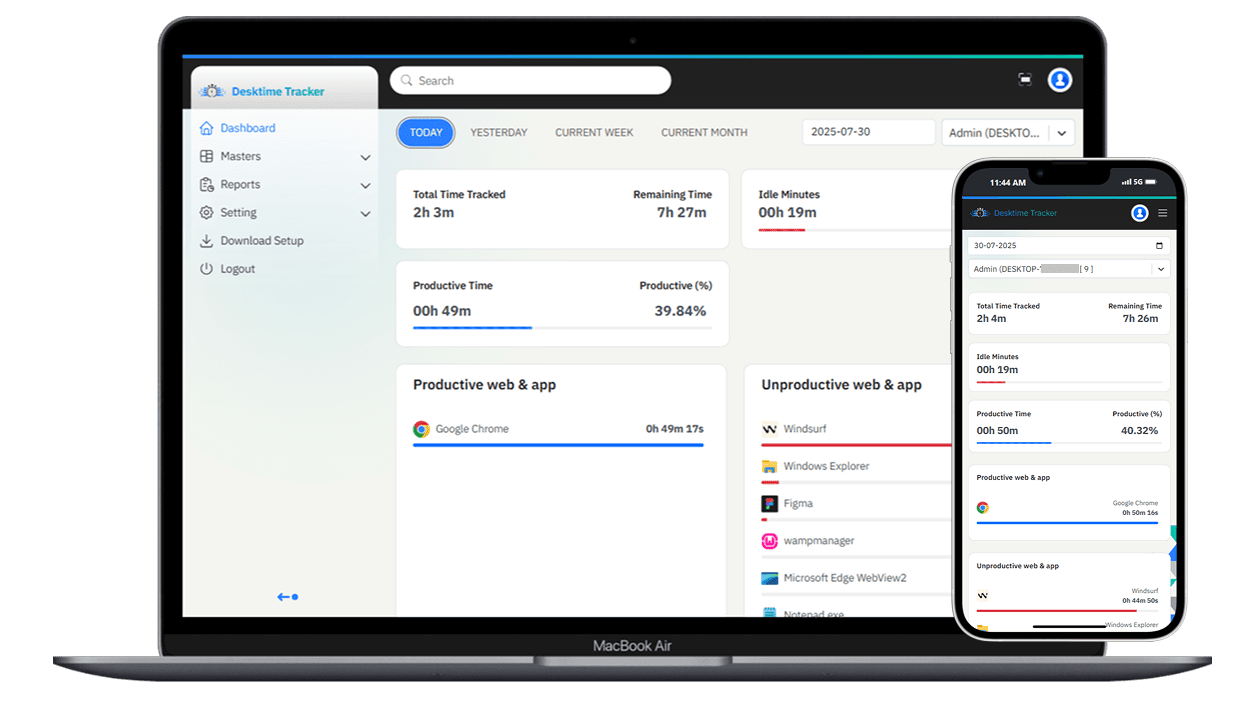
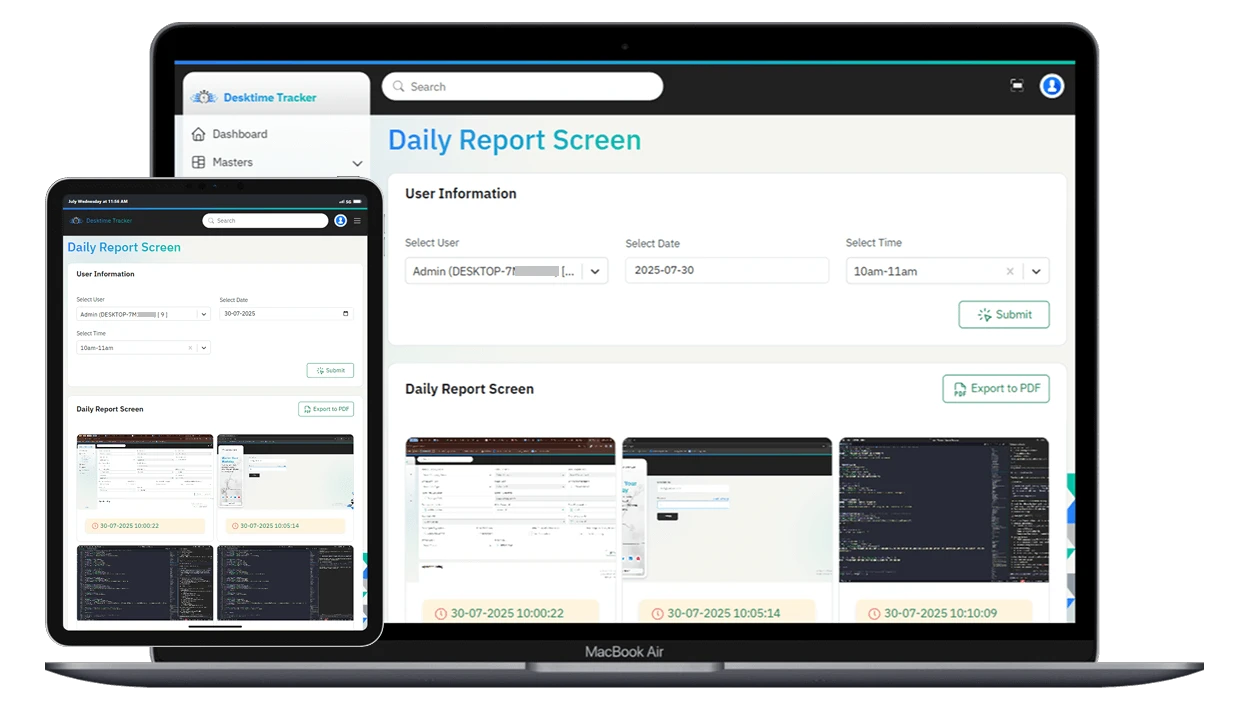
Screenshots of core features that simplify your workflow.
See How Desk Time Tracker Boosts Productivity
Get in touch. Stay in touch.
If you really care about someone you will make time for them.
24 / 7 Support
Support that never sleeps—reach out anytime
Book a Demo
See our solution in action book your personalized demo today.
Contact Us
Get in touch to discuss your needs with our experts
7 Days Free Trial
Start your 7-day free trial and see the value firsthand
How does the application work?
This article explains how to work with the desktop application.
To start tracking your time with the DeskTime app,download and install it. Afterwards, you will be encouraged to log in to your account through the application.
Once that has been done, your time will be tracked automatically. The application will start along with your computer. You can see the gathered data for the day in the
Download the .exe file from your company head login site. Run the installer on each system you want to monitor. Next, open the ACM (Activity Monitoring System) settings and enter your provided key to activate monitoring. Repeat these steps for every device that needs to be tracked.
Attendance is tracked automatically through the ACM application. When you start your device and log in, ACM records your check-in time. When you log out or shut down, your check-out time is saved. You can view your daily attendance records and history in the ACM dashboard under the 'Attendance' or 'Reports' section. For any discrepancies, contact your admin or support team.